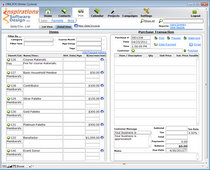
Click checkboxes to manually select records from a list. The ability to manually select individual records for filtering is useful and often necessary, but is not as straight forward as you might think. Your first thought may be to create a field in the table to act as a flag and place it on a […]
Category Archives: Search Tips
Dynamic Portal Filters With Multiple Criteria
October 11, 2010 – 11:01 pm
Create a dynamically filtered portal with multiple filter criteria with two (or more) global fields, portal filtering and a script trigger calling a simple script to refresh the page. This article expands on the technique used in the previous article, Dynamic Portal Filtering While You Type.
Dynamic Portal Filtering While You Type
October 2, 2010 – 10:04 pm
With portal filters, you can now show filtered views of related records in portals without having to define new relationships. What’s better than that? How about dynamically filtering your portal data while you’re typing letters into your search field! With a very simple script (4 steps), a custom function and a script trigger, you can search data in your FileMaker portals the same way you search for music in iTunes!
Live, As-You-Type Search in FileMaker
October 14, 2009 – 11:35 am
FileMaker 10’s Script Triggers feature opens the door to create richer, more dynamic and more responsive user interfaces. For example, it is now possible to create as-you-type search functionality similar to that found in iTunes and Mac OS X Spotlight where the list of results updates dynamically as the user types. This is a slick […]
Google-like Search Through Relationship Filtering
January 14, 2009 – 1:50 pm
This article describes a script-less technique for using dynamic relationships and portals to search values in a related table using a single global field. It is a part of a series on Advanced Search Interfaces. This technique produces an interface similar to the Google-like Search described in previous articles in this series, but instead of […]
Google-Like Searches In FileMaker – Non-Contiguous
October 28, 2008 – 12:00 pm
This article is a part of a series on Advanced Search Interfaces. In my article, Google-Like Searches In FileMaker, I described a method for creating a search-engine-like interface for searching the contents of a FileMaker Pro database. This article expands on that method by eliminating one of it’s shortcomings: it would only find records containing […]
Google-Like Searches In FileMaker
October 23, 2008 – 12:00 pm
This article is a part of a series on Advanced Search Interfaces. Using a single, global field and a fairly simple script, you can create a search-engine-like interface for searching the contents of a FileMaker Pro database. Step One: Create a Global Search Field Create a text field in any table. In the field options, […]
Advanced Search Interfaces
October 22, 2008 – 12:06 pm
FileMaker Pro’s built in Find Mode is great for those of us who know FileMaker well and understand the data structure of our databases well enough to know which fields to search in. But a more elegant, user friendly search mechanism is often needed. There are a number of techniques that I recommend for making […]